

このページでは、完全性判定の結果に関する問題への対処方法について説明します。
完全性トークンがリクエストされたときに、ユーザーに Google Play ダイアログを表示できます。完全性判定の結果に 1 つ以上の問題がある場合や、Integrity API リクエスト中に例外が発生した場合は、ダイアログを表示できます。ダイアログを閉じると、別の完全性トークンリクエストで問題 が修正されたことを確認できます。標準リクエストを実行する場合は、トークンプロバイダを再度ウォームアップして、新しい判定結果を取得する必要があります。
完全性ダイアログをリクエストして判定に関する問題を修正する
クライアントが完全性トークンをリクエストすると、
StandardIntegrityToken(標準 API)と
IntegrityTokenResponse(クラシック API)で提供されているメソッド
showDialog(Activity activity, int integrityDialogTypeCode)を使用できます。
Play Integrity API を使用して
修正ダイアログを GET_LICENSED ダイアログコードで表示する手順は次のとおりです。
アプリがリクエストできるその他のダイアログコードについては、このセクションの後に記載されています。
アプリから完全性トークンをリクエストし、そのトークンをサーバーに送信します。 標準リクエストまたはクラシック リクエストを使用できます。
Kotlin
// Request an integrity token
val tokenResponse: StandardIntegrityToken = requestIntegrityToken()
// Send token to app server and get response on what to do next
val yourServerResponse: YourServerResponse = sendToServer(tokenResponse.token())
Java
// Request an integrity token
StandardIntegrityToken tokenResponse = requestIntegrityToken();
// Send token to app server and get response on what to do next
YourServerResponse yourServerResponse = sendToServer(tokenResponse.token());
Unity
// Request an integrity token
StandardIntegrityToken tokenResponse = RequestIntegrityToken();
// Send token to app server and get response on what to do next
YourServerResponse yourServerResponse = sendToServer(tokenResponse.Token);
Unreal Engine
// Request an integrity token
StandardIntegrityToken* Response = RequestIntegrityToken();
// Send token to app server and get response on what to do next
YourServerResponse YourServerResponse = SendToServer(Response->Token);
ネイティブ
/// Request an integrity token
StandardIntegrityToken* response = requestIntegrityToken();
/// Send token to app server and get response on what to do next
YourServerResponse yourServerResponse = sendToServer(StandardIntegrityToken_getToken(response));
サーバーで、完全性トークンを復号し、
appLicensingVerdictフィールドを確認します。次のようになります。// Licensing issue { ... "accountDetails": { "appLicensingVerdict": "UNLICENSED" } }
トークンに
appLicensingVerdict: "UNLICENSED"が含まれている場合は、アプリ クライアントに返信し、ライセンス ダイアログを表示するようリクエストします。Kotlin
private fun getDialogTypeCode(integrityToken: String): Int{
  // Get licensing verdict from decrypted and verified integritytoken
  val licensingVerdict: String = getLicensingVerdictFromDecryptedToken(integrityToken)

  return if (licensingVerdict == "UNLICENSED") {
          1 // GET_LICENSED
      } else 0
}
Java
private int getDialogTypeCode(String integrityToken) {
  // Get licensing verdict from decrypted and verified integrityToken
  String licensingVerdict = getLicensingVerdictFromDecryptedToken(integrityToken);

  if (licensingVerdict.equals("UNLICENSED")) {
    return 1; // GET_LICENSED
  }
  return 0;
}
Unity
private int GetDialogTypeCode(string IntegrityToken) {
  // Get licensing verdict from decrypted and verified integrityToken
  string licensingVerdict = GetLicensingVerdictFromDecryptedToken(IntegrityToken);

  if (licensingVerdict == "UNLICENSED") {
    return 1; // GET_LICENSED
  }
  return 0;
}
Unreal Engine
private int GetDialogTypeCode(FString IntegrityToken) {
  // Get licensing verdict from decrypted and verified integrityToken
  FString LicensingVerdict = GetLicensingVerdictFromDecryptedToken(IntegrityToken);

  if (LicensingVerdict == "UNLICENSED") {
    return 1; // GET_LICENSED
  }
  return 0;
}
ネイティブ
private int getDialogTypeCode(string integrity_token) {
  /// Get licensing verdict from decrypted and verified integrityToken
  string licensing_verdict = getLicensingVerdictFromDecryptedToken(integrity_token);

  if (licensing_verdict == "UNLICENSED") {
    return 1; // GET_LICENSED
  }
  return 0;
}
アプリで、サーバーから取得したコードを使用して、
showDialogを呼び出します。Kotlin
// Show dialog as indicated by the server
val showDialogType: Int? = yourServerResponse.integrityDialogTypeCode()
if (showDialogType == null) {
   return
}

// Create dialog request
val dialogRequest = StandardIntegrityDialogRequest.builder()
        .setActivity(activity)
        .setTypeCode(showDialogType)
        .setStandardIntegrityResponse(StandardIntegrityResponse.TokenResponse(token))
        .build()

// Call showDialog, the dialog will be shown on top of the provided activity
// and the task will complete when the dialog is closed.
val result: Task<Int> = standardIntegrityManager.showDialog(dialogRequest)

// Handle response code, call the Integrity API again to confirm that the
// verdict issue has been resolved.
Java
// Show dialog as indicated by the server
@Nullable Integer showDialogType = yourServerResponse.integrityDialogTypeCode();
if (showDialogType == null) {
   return;
}

// Create dialog request
StandardIntegrityDialogRequest dialogRequest =
    StandardIntegrityDialogRequest.builder()
        .setActivity(getActivity())
        .setTypeCode(showDialogTypeCode)
        .setStandardIntegrityResponse(new StandardIntegrityResponse.TokenResponse(token))
        .build();

// Call showDialog, the dialog will be shown on top of the provided activity
// and the task will complete when the dialog is closed.
Task<Integer> result = standardIntegrityManager.showDialog(dialogRequest);

// Handle response code, call the Integrity API again to confirm that the
// verdict issue has been resolved.
Unity
// Initialize the V2 manager. Requires Play Integrity Unity Plugin v2.0.0 or
// higher.
var standardIntegrityManager = new StandardIntegrityManagerV2();
IEnumerator ShowDialogCoroutine() {
  int showDialogType = yourServerResponse.IntegrityDialogTypeCode();

  PlayAsyncOperation<IntegrityDialogResponseCode, StandardIntegrityError> showDialogTask;

  using (var activity = UnityPlayerHelper.GetCurrentActivity())
  {
      // Create a dialog request
      var dialogRequest = new StandardIntegrityDialogRequest(tokenResponse, activity, showDialogType);

      // Call showDialog with the request, the dialog will be shown on top of the
      // provided activity and complete when the dialog is closed.
      showDialogTask = standardIntegrityManager.ShowDialog(dialogRequest);
  }

  // Wait for PlayAsyncOperation to complete.
  yield return showDialogTask;

  // Handle response code, call the Integrity API again to confirm that the
  // verdict issue been resolved.
}
Unreal Engine
// .h
void MyClass::OnShowDialogCompleted(
  EStandardIntegrityErrorCode Error,
  EIntegrityDialogResponseCode Response)
{
  // Handle response code, call the Integrity API again to confirm that the
  // verdict issue has been resolved.
}

// .cpp
void MyClass::RequestIntegrityToken()
{
  UStandardIntegrityToken* Response = ...
  int TypeCode = YourServerResponse.integrityDialogTypeCode();

  // Create a delegate to bind the callback function.
  FShowDialogStandardOperationCompletedDelegate Delegate;

  // Bind the completion handler (OnShowDialogCompleted) to the delegate.
  Delegate.BindDynamic(this, &MyClass::OnShowDialogCompleted);

  // Call ShowDialog with TypeCode which completes when the dialog is closed.
  Response->ShowDialog(TypeCode, Delegate);
}
ネイティブ
// Show dialog as indicated by the server
int show_dialog_type = yourServerResponse.integrityDialogTypeCode();
if(show_dialog_type == 0){
return;
}

/// Create dialog request
StandardIntegrityDialogRequest* dialog_request;
StandardIntegrityDialogRequest_create(&dialog_request);
StandardIntegrityDialogRequest_setTypeCode(dialog_request, show_dialog_type);
StandardIntegrityDialogRequest_setActivity(dialog_request, activity);
StandardIntegrityDialogRequest_setStandardIntegrityToken(dialog_request,
                                              token_response);

/// Call showDialog with the dialog request. The dialog will be shown on top
/// of the provided activity and complete when the dialog is closed by the
/// user.
StandardIntegrityDialogResponse* dialog_response;
StandardIntegrityErrorCode error_code =
  StandardIntegrityManager_showDialog(dialog_request, &dialog_response);

/// Use polling to wait for the async operation to complete. Note, the polling
/// shouldn't block the thread where the StandardIntegrityManager is running.
IntegrityDialogResponseCode response_code = INTEGRITY_DIALOG_RESPONSE_UNKNOWN;
while (error_code == STANDARD_INTEGRITY_NO_ERROR) {
  error_code = StandardIntegrityDialogResponse_getResponseCode(dialog_response, &response_code);
  if(response_code != INTEGRITY_DIALOG_RESPONSE_UNKNOWN){
    break;
  }
}

/// Free memory
StandardIntegrityDialogRequest_destroy(dialog_request);
StandardIntegrityDialogResponse_destroy(dialog_response);

/// Handle response code, call the Integrity API again to confirm that the
/// verdict issues have been resolved.
ダイアログは提供されたアクティビティの上に表示されます。ユーザーがダイアログを閉じると、タスクはレスポンス コードを返して完了します。
(省略可)さらにダイアログを表示するには、別のトークンをリクエストします。標準リクエストを実行する場合は、トークン プロバイダを再度ウォームアップして、新しい判定結果を取得する必要があります。
完全性ダイアログをリクエストしてクライアント側の例外を修正する
Integrity API リクエストが StandardIntegrityException
(標準 API)または IntegrityServiceException(クラシック API)で失敗し、
例外が修正可能な場合は、GET_INTEGRITY または
GET_STRONG_INTEGRITY ダイアログを使用してエラーを修正できます。
次の手順では、GET_INTEGRITY
ダイアログを使用して、Integrity API によって報告された修正可能なクライアント側のエラーを修正する方法について説明します。
Integrity API リクエストから返された例外が修正可能であることを確認します。
Kotlin
private fun isExceptionRemediable(exception: ExecutionException): Boolean {
  val cause = exception.cause
  if (cause is StandardIntegrityException && cause.isRemediable) {
      return true
  }
  return false
}
Java
private boolean isExceptionRemediable(ExecutionException exception) {
  Throwable cause = exception.getCause();
  if (cause instanceof StandardIntegrityException integrityException
&& integrityException.isRemediable()) {
      return true;
  }
  return false;
}
Unity
private bool IsExceptionRemediable(StandardIntegrityError error) {
  // Check if the operation resulted in a remediable error
  if (error != null && error.ErrorCode != StandardIntegrityErrorCode.NoError && error.IsRemediable) {
      return true;
  }
  return false;
}
ネイティブ
bool IsErrorRemediable(StandardIntegrityToken* token) {
  /// Check if the error associated with the token is remediable
  bool isRemediable = false;
  if(StandardIntegrityToken_getIsRemediable(response, &isRemediable) == STANDARD_INTEGRITY_NO_ERROR){
    return isRemediable;
  }
  return false;
}
例外が修正可能な場合は、返された例外を使用して
GET_INTEGRITYダイアログをリクエストします。ダイアログは提供されたアクティビティの上に表示され、 ユーザーがダイアログを閉じると、返されたタスクはレスポンス コードを返して完了します。Kotlin
private fun showDialog(exception: StandardIntegrityException) {
  // Create a dialog request
  val standardIntegrityDialogRequest =
      StandardIntegrityDialogRequest.builder()
          .setActivity(activity)
          .setType(IntegrityDialogTypeCode.GET_INTEGRITY)
          .setStandardIntegrityResponse(ExceptionDetails(exception))
          .build()

  // Request dialog
  val responseCode: Task<Int> =
        standardIntegrityManager.showDialog(standardIntegrityDialogRequest)
}
Java
private void showDialog(StandardIntegrityException exception) {
  // Create a dialog request
  StandardIntegrityDialogRequest standardIntegrityDialogRequest =
      StandardIntegrityDialogRequest.builder()
          .setActivity(this.activity)
          .setType(IntegrityDialogTypeCode.GET_INTEGRITY)
          .setStandardIntegrityResponse(new ExceptionDetails(exception))
          .build();

  // Request dialog
  Task<Integer> responseCode =
        standardIntegrityManager.showDialog(standardIntegrityDialogRequest);
}
Unity
// Initialize the V2 manager. Requires Play Integrity Unity Plugin v2.0.0 or
// higher.
var standardIntegrityManager = new StandardIntegrityManagerV2();
IEnumerator ShowDialogToFixError(StandardIntegrityError error) {
  PlayAsyncOperation<IntegrityDialogResponseCode, StandardIntegrityError> showDialogTask;

  using (var activity = UnityPlayerHelper.GetCurrentActivity())
  {
      // Create a dialog request using the error
      var dialogRequest = new StandardIntegrityDialogRequest(error, activity, GET_INTEGRITY_DIALOG);

      // Request dialog
      showDialogTask = standardIntegrityManager.ShowDialog(dialogRequest);
  }

  // Wait for PlayAsyncOperation to complete.
  yield return showDialogTask;
}
ネイティブ
private void showDialogToFixError(StandardIntegrityToken* token) {
  /// If the token request failed, and the underlying error is not fixable
  /// then return early
  if(isErrorRemediable(token)) {
    return;
  }

  /// Create dialog request
  StandardIntegrityDialogRequest* dialog_request;
  StandardIntegrityDialogRequest_create(&dialog_request);
  StandardIntegrityDialogRequest_setTypeCode(dialog_request,
                                     kGetIntegrityDialogTypeCode);
  StandardIntegrityDialogRequest_setActivity(dialog_request, activity);
  StandardIntegrityDialogRequest_setStandardIntegrityToken(dialog_request,
                                                  token_response);

  /// Call showDialog with the dialog request. The dialog will be shown on
  /// top of the provided activity and complete when the dialog is closed by
  /// the user.
  StandardIntegrityDialogResponse* dialog_response;
  StandardIntegrityErrorCode error_code =
      StandardIntegrityManager_showDialog(dialog_request, &dialog_response);

  /// Use polling to wait for the async operation to complete.
  /// Note, the polling shouldn't block the thread where the
  /// StandardIntegrityManager is running.
  IntegrityDialogResponseCode response_code = INTEGRITY_DIALOG_RESPONSE_UNKNOWN;
  while (error_code == STANDARD_INTEGRITY_NO_ERROR) {
      error_code = StandardIntegrityDialogResponse_getResponseCode(response, &response_code);
      if(response_code != INTEGRITY_DIALOG_RESPONSE_UNKNOWN){
        break;
      }
  }

  /// Free memory
  StandardIntegrityDialogRequest_destroy(dialog_request);
  StandardIntegrityDialogResponse_destroy(dialog_response);

}
返されたレスポンス コードが成功を示している場合、完全性トークンの次のリクエストは例外なしで成功します。標準リクエストを実行する場合は、トークン プロバイダを再度ウォームアップして、新しい判定結果を取得する必要があります。
完全性ダイアログ コード
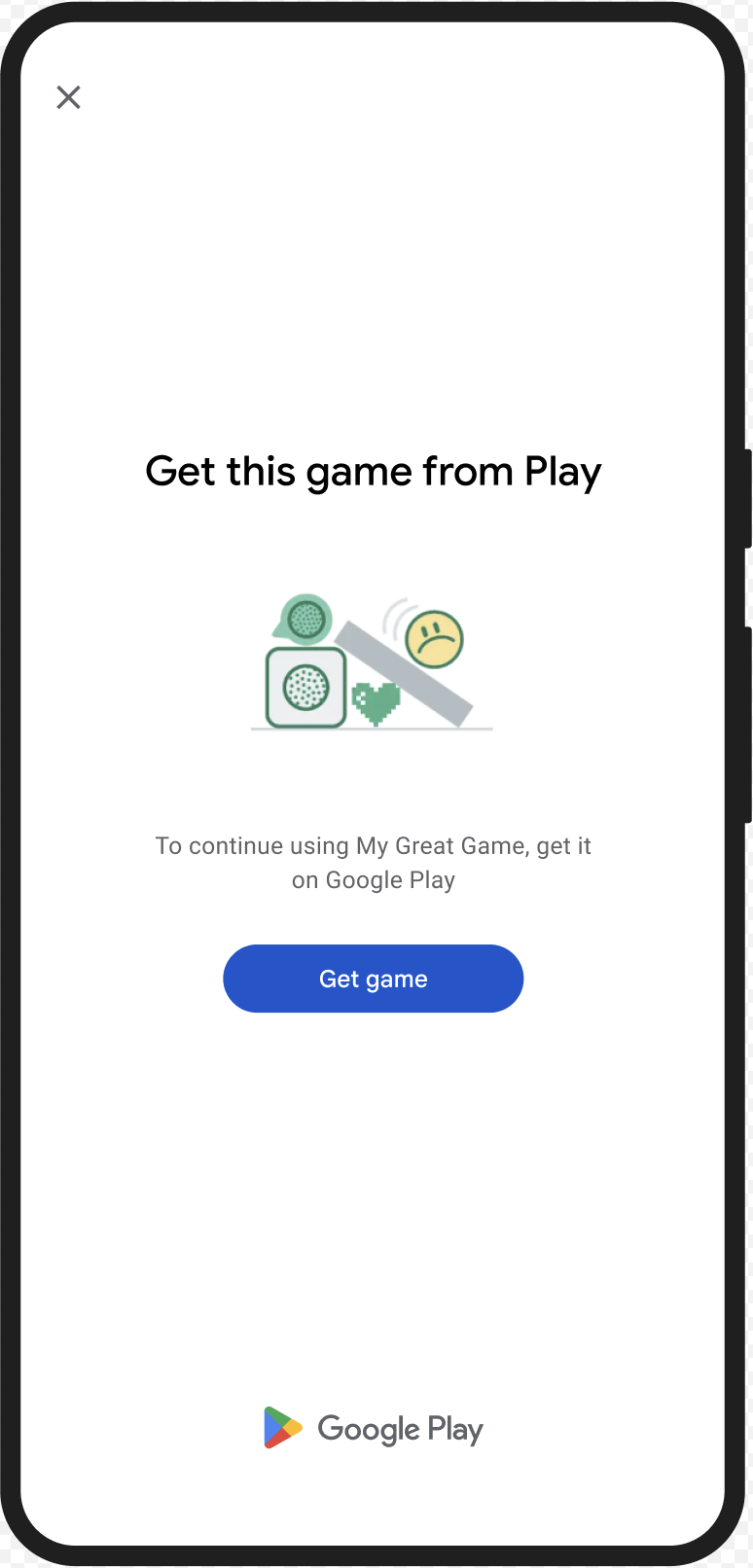
GET_LICENSED(タイプコード 1)
判定に関する問題
このダイアログは、次の 2 つの問題に適しています。
- 不正アクセス:
appLicensingVerdict: "UNLICENSED"。これは、ユーザー アカウントにアプリの利用資格がないことを意味します。これは、ユーザーがサイドロードした場合や、Google Play 以外のアプリストアからアプリを取得した場合に発生する可能性があります。 - 改ざんされたアプリ:
appRecognitionVerdict: "UNRECOGNIZED_VERSION"。これは、アプリのバイナリが変更されているか、Google Play で認識されていないバージョンであることを意味します。
修復
GET_LICENSED ダイアログを表示して、Google Play
から正規のアプリを入手するようユーザーに促すことができます。この 1 つのダイアログで、次の両方のシナリオに対応できます。
- ライセンスのないユーザーには、Google Play ライセンスが付与されます。これにより、ユーザーは Google Play からアプリのアップデートを受け取ることができます。
- 改ざんされたアプリ バージョンを使用しているユーザーには、Google Play から変更されていないアプリをインストールするよう促します。
ユーザーがダイアログを完了すると、以降の完全性チェックでは
appLicensingVerdict: "LICENSED" と appRecognitionVerdict: "PLAY_RECOGNIZED" が返されます。
UX の例
CLOSE_UNKNOWN_ACCESS_RISK(タイプコード 2)
判定に関する問題
environmentDetails.appAccessRiskVerdict.appsDetected に
"UNKNOWN_CAPTURING" または "UNKNOWN_CONTROLLING" が含まれている場合、デバイス上で実行されている他のアプリ
(Google Play によってインストールされたアプリ、またはデバイスのメーカーによってシステム パーティションにプリロードされたアプリではない)が画面をキャプチャしているか、デバイスを
制御している可能性があります。
修復
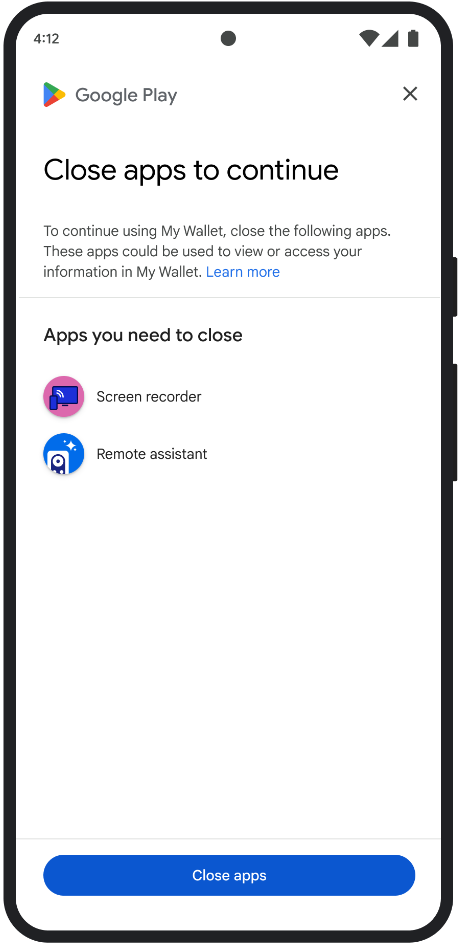
CLOSE_UNKNOWN_ACCESS_RISK
ダイアログを表示して、画面をキャプチャしているか、デバイスを制御している可能性がある不明なアプリをすべて閉じるようユーザーに促すことができます。ユーザーがClose all[すべて閉じる] ボタンをタップすると、そのようなアプリはすべて閉じられます。
UX の例
CLOSE_ALL_ACCESS_RISK(タイプコード 3)
判定に関する問題
environmentDetails.appAccessRiskVerdict.appsDetected に
"KNOWN_CAPTURING"、"KNOWN_CONTROLLING"、"UNKNOWN_CAPTURING"、
"UNKNOWN_CONTROLLING" のいずれかが含まれている場合、デバイス上で実行されているアプリが
画面をキャプチャしているか、デバイスを制御している可能性があります。
修復
CLOSE_ALL_ACCESS_RISK
ダイアログを表示して、画面をキャプチャしているか、デバイスを制御している可能性があるアプリをすべて閉じるようユーザーに促すことができます。ユーザーがClose all[ ] ボタンをタップすると、そのようなアプリはすべてデバイス上で閉じられます。
UX の例
GET_INTEGRITY(タイプコード 4)
判定に関する問題
このダイアログは、次のいずれかの問題に適しています。
デバイスの完全性が低い:
deviceRecognitionVerdictに が含まれていない場合、デバイスが正規の認定済み Android デバイスではない可能性があります。MEETS_DEVICE_INTEGRITYたとえば、デバイスのブートローダーがロック解除されている場合や、読み込まれた Android OS が認定メーカーのイメージではない場合に発生する可能性があります。不正アクセス:
appLicensingVerdict: "UNLICENSED"。これは、ユーザー アカウントにアプリの利用資格がないことを意味します。これは、ユーザーがサイドロードした場合や、Google Play 以外のアプリストアからアプリを取得した場合に発生する可能性があります。改ざんされたアプリ:
appRecognitionVerdict: "UNRECOGNIZED_VERSION"。これは、アプリのバイナリが変更されているか、Google Play で認識されていないバージョンであることを意味します。クライアント側の例外: Integrity API リクエスト中に修正可能な例外が発生した場合。修正可能な例外は、 `PLAY_SERVICES_VERSION_OUTDATED`、`NETWORK_ERROR`、`PLAY_SERVICES_NOT_FOUND` などのエラーコードを持つ Integrity API 例外です。
PLAY_SERVICES_VERSION_OUTDATED、NETWORK_ERROR、PLAY_SERVICES_NOT_FOUND、 などです。exception.isRemediable()メソッドを使用して、 ダイアログで例外を修正できるかどうかを確認できます。
修復
GET_INTEGRITY
ダイアログは、複数の修正手順を単一の継続的なフローで処理することで、ユーザーの操作性を向上させるように設計されています。これにより、ユーザーは複数の別々のダイアログを操作してさまざまな問題を修正する必要がなくなります。
ダイアログをリクエストすると、対象となる判定に関する問題が自動的に検出され、適切な修正手順が提供されます。 つまり、1 つのダイアログ リクエストで、次のようないくつかの問題を一度に解決できます。
- デバイスの完全性: デバイスの完全性に関する問題が検出された場合、ダイアログは
デバイスのセキュリティ ステータスを改善して
MEETS_DEVICE_INTEGRITY判定の要件を満たすようにユーザーを誘導します。 - アプリの完全性: 不正アクセスやアプリの改ざんなどの問題が 検出された場合、ダイアログは、問題を修正するために Google Play ストアからアプリを 入手するようユーザーに促します。
- クライアントサイドの例外: ダイアログは、Integrity API 例外の原因となった根本的な問題をチェックし、解決しようとします。たとえば、Google Play 開発者サービスの古いバージョンを更新するようユーザーに促すことがあります。
UX の例

GET_STRONG_INTEGRITY(タイプコード 5)
判定に関する問題
このダイアログは、
GET_INTEGRITY
が対処するすべての問題を修正するように設計されています。さらに、デバイスが
MEETS_STRONG_INTEGRITY判定を受け取れない問題を修正し、Google Play プロテクト
の判定に関する問題を修正する機能も追加されています。
修復
GET_STRONG_INTEGRITY は、複数の修正手順を単一の継続的なフローで処理することで、ユーザーの操作性を向上させるように設計されています。ダイアログは、次のような適用可能な完全性に関する問題を自動的にチェックします。
- デバイスの完全性: デバイスの完全性に関する問題が検出された場合、ダイアログは
デバイスのセキュリティ ステータスを改善して
MEETS_STRONG_INTEGRITY判定の要件を満たすようにユーザーを誘導します。 Google Play プロテクトのステータス:
playProtectVerdictが問題を示している場合、 ダイアログはユーザーに問題を修正するよう促します。- Google Play プロテクトが無効になっている場合(
playProtectVerdict == POSSIBLE_RISK)、ダイアログはユーザーに有効にして、デバイス上のすべてのアプリのスキャンを実行するよう促します。 - 有害なアプリが検出された場合(
playProtectVerdict == MEDIUM_RISKまたはHIGH_RISK)、ダイアログは Google Play プロテクトを使用してアンインストールするようユーザーに促します。
- Google Play プロテクトが無効になっている場合(
アプリの完全性: 不正アクセスやアプリの改ざんなどの問題が 検出された場合、ダイアログは、問題を修正するために Google Play ストアからアプリを 入手するようユーザーに促します。
クライアントサイドの例外: ダイアログは、Integrity API 例外の原因となった根本的な 問題も解決しようとします。たとえば、Google Play 開発者サービスが無効になっていることが判明した場合、有効にするようユーザーに促すことがあります。修正可能な例外は、
PLAY_SERVICES_VERSION_OUTDATED、NETWORK_ERROR、PLAY_SERVICES_NOT_FOUNDなどのエラーコードを持つ Integrity API 例外です。exception.isRemediable()メソッドを使用して、ダイアログでエラーを 修正できるかどうかを確認できます。
UX の例
