
Create seamless experiences for Googlebook
Scale your experiences across the Android tech stack. Googlebook provides a high-performance, large-screen canvas for your apps, allowing users to transition seamlessly from quick mobile interactions to deep, focused sessions on a laptop.


Adaptive development
Get started
If you're already building Android apps, they will work on Googlebook. As the next step in the adaptive journey, Googlebook supports enhanced multitasking and input methods. Using familiar tools and flexible APIs in Jetpack Compose, you can easily adapt your existing layouts to thrive on a larger screen, giving users more room to explore, play, and achieve.

Build essentials
Design for desktops
Leverage a larger display to maximize productivity with higher information density.
Comprehensive input support
Optimize for precision and versatility by supporting keyboard, mouse, trackpad, stylus, and game controller interactions.
Contextual cursors
Enhance usability by implementing custom cursors that provide visual feedback for text entry, resizing, and specialized tool interactions.
File and print management
Support file-level interactions and printing, ensuring your app handles document management and export tasks natively.

Differentiate on desktop
Deliver a premium, desktop-grade experience by optimizing for professional workflows, ensuring your app meets the highest quality standards.
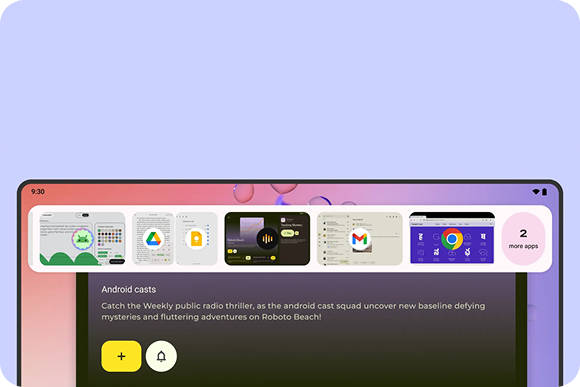
Multi-instance
Support side-by-side multitasking by allowing users to launch multiple instances of your app for seamless content comparison and task management.

Drag and drop
Implement intuitive interactions that allow users to move text, images, and files between windows or apps with ease.
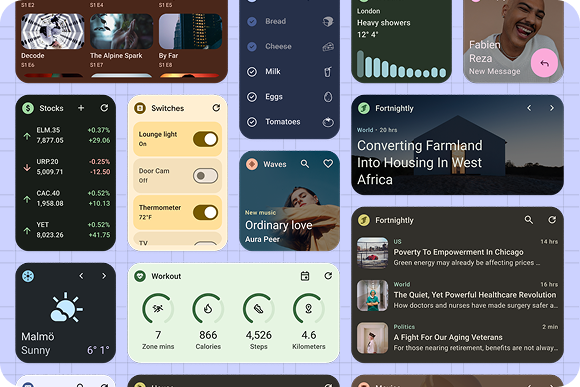
Widgets
Display a clear and actionable view of an app's content or actions on desktop.
Get inspired
Discover how to transform your app's interface into a premium laptop experience. Explore design patterns and layouts across a variety of categories tailored for large-screen devices.

Start developing

Develop
Desktop emulator
Test your app in a virtual desktop environment directly from your workstation. Download Android Studio Canary to use the desktop emulator to accurately validate window resizing, multi-instance behavior, and keyboard-mouse interactions.

Develop
Adaptive AI Skills
Speed up your development with AI-powered insights and automation. Use the latest adaptive AI Skills to get your existing app looking great on Googlebook.