

Alcuni contenuti, come video, giochi, gallerie di immagini, libri e diapositive di presentazioni, sono più coinvolgenti se visualizzati a schermo intero senza indicatori sulla barra di stato o sulla barra di navigazione. In questo caso si parla di _modalità immersiva_. Questa pagina mostra come coinvolgere maggiormente gli utenti con i contenuti a schermo intero. This page shows how you can engage users more deeply with content in fullscreen.
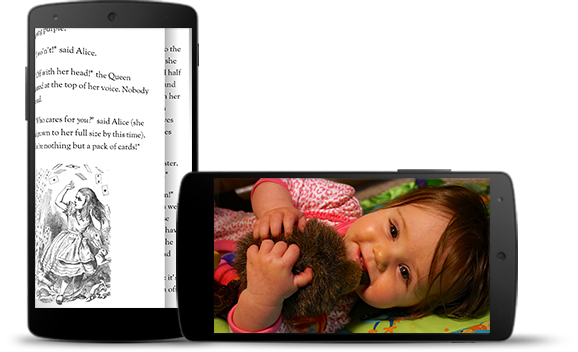
Tuttavia, tieni presente la frequenza con cui gli utenti entrano e escono dalle app per controllare le notifiche, eseguire ricerche estemporanee o intraprendere altre azioni. Poiché la modalità immersiva impedisce agli utenti di accedere facilmente alla navigazione del sistema, utilizzala solo quando il vantaggio per l'esperienza utente va oltre il semplice utilizzo di spazio aggiuntivo sullo schermo. **Nota:** nella modalità di finestre del computer, la barra dei sottotitoli disegnata dal sistema è sempre visibile nella parte superiore della finestra, anche per i giochi in modalità immersiva.
Utilizza WindowInsetsControllerCompat.hide()
per nascondere le barre di sistema e WindowInsetsControllerCompat.show()
per riportarle.
Kotlin
Java
override fun onCreate(savedInstanceState: Bundle?) {
    ...

    val windowInsetsController =
        WindowCompat.getInsetsController(window, window.decorView)
    // Configure the behavior of the hidden system bars.
    windowInsetsController.systemBarsBehavior =
        WindowInsetsControllerCompat.BEHAVIOR_SHOW_TRANSIENT_BARS_BY_SWIPE

    // Add a listener to update the behavior of the toggle fullscreen button when
    // the system bars are hidden or revealed.
    ViewCompat.setOnApplyWindowInsetsListener(window.decorView) { view, windowInsets ->
        // You can hide the caption bar even when the other system bars are visible.
        // To account for this, explicitly check the visibility of navigationBars()
        // and statusBars() rather than checking the visibility of systemBars().
        if (windowInsets.isVisible(WindowInsetsCompat.Type.navigationBars())
            || windowInsets.isVisible(WindowInsetsCompat.Type.statusBars())) {
            binding.toggleFullscreenButton.setOnClickListener {
                // Hide both the status bar and the navigation bar.
                windowInsetsController.hide(WindowInsetsCompat.Type.systemBars())
            }
        } else {
            binding.toggleFullscreenButton.setOnClickListener {
                // Show both the status bar and the navigation bar.
                windowInsetsController.show(WindowInsetsCompat.Type.systemBars())
            }
        }
        ViewCompat.onApplyWindowInsets(view, windowInsets)
    }
}
Se vuoi, puoi specificare il tipo di barre di sistema da nascondere e determinarne il comportamento quando un utente interagisce con esse.
@Override
protected void onCreate(Bundle savedInstanceState) {
    ...

    WindowInsetsControllerCompat windowInsetsController =
            WindowCompat.getInsetsController(getWindow(), getWindow().getDecorView());
    // Configure the behavior of the hidden system bars.
    windowInsetsController.setSystemBarsBehavior(
            WindowInsetsControllerCompat.BEHAVIOR_SHOW_TRANSIENT_BARS_BY_SWIPE
    );

    // Add a listener to update the behavior of the toggle fullscreen button when
    // the system bars are hidden or revealed.
    ViewCompat.setOnApplyWindowInsetsListener(
        getWindow().getDecorView(),
        (view, windowInsets) -> {
        // You can hide the caption bar even when the other system bars are visible.
        // To account for this, explicitly check the visibility of navigationBars()
        // and statusBars() rather than checking the visibility of systemBars().
        if (windowInsets.isVisible(WindowInsetsCompat.Type.navigationBars())
                || windowInsets.isVisible(WindowInsetsCompat.Type.statusBars())) {
            binding.toggleFullscreenButton.setOnClickListener(v -> {
                // Hide both the status bar and the navigation bar.
                windowInsetsController.hide(WindowInsetsCompat.Type.systemBars());
            });
        } else {
            binding.toggleFullscreenButton.setOnClickListener(v -> {
                // Show both the status bar and the navigation bar.
                windowInsetsController.show(WindowInsetsCompat.Type.systemBars());
            });
        }
        return ViewCompat.onApplyWindowInsets(view, windowInsets);
    });
}
Specificare le barre di sistema da nascondere
Per specificare il tipo di barre di sistema da nascondere, passa uno dei seguenti parametri a `WindowInsetsControllerCompat.hide()`.
Per specificare il tipo di barre di sistema da nascondere, passa uno dei seguenti parametri
a WindowInsetsControllerCompat.hide().
Utilizza
WindowInsetsCompat.Type.systemBars()per nascondere entrambe le barre di sistema.Utilizza
WindowInsetsCompat.Type.statusBars()per nascondere solo la barra di stato.Utilizza
WindowInsetsCompat.Type.navigationBars()per nascondere solo la barra di navigazione.
Utilizza `WindowInsetsControllerCompat.setSystemBarsBehavior()` per specificare il comportamento delle barre di sistema nascoste quando l'utente interagisce con esse.
Utilizza WindowInsetsControllerCompat.setSystemBarsBehavior()
per specificare come si comportano le barre di sistema nascoste quando l'utente interagisce con esse.
Utilizza
WindowInsetsControllerCompat.BEHAVIOR_SHOW_BARS_BY_TOUCHper mostrare le barre di sistema nascoste in qualsiasi interazione dell'utente sul display corrispondente.Utilizza
WindowInsetsControllerCompat.BEHAVIOR_SHOW_BARS_BY_SWIPEper mostrare le barre di sistema nascoste con i gesti di sistema, ad esempio scorrendo da bordo dello schermo da cui la barra è nascosta.Utilizza
WindowInsetsControllerCompat.BEHAVIOR_SHOW_TRANSIENT_BARS_BY_SWIPEper rivelare temporaneamente le barre di sistema nascoste con gesti di sistema, ad esempio scorrendo dal bordo dello schermo da cui la barra è nascosta. Queste barre di sistema temporanee si sovrappongono ai contenuti dell'app, potrebbero avere un certo grado di trasparenza e vengono nascoste automaticamente dopo un breve periodo di inattività.