
Blur effects soften visual details, create photographic depth of field, and
draw focus to foreground UI elements. In Jetpack Compose, use
Modifier.blur to blur the content drawn inside a composable, including
images, shapes, text, and layout containers. Applying Modifier.blur renders
the composable into a separate graphics layer.
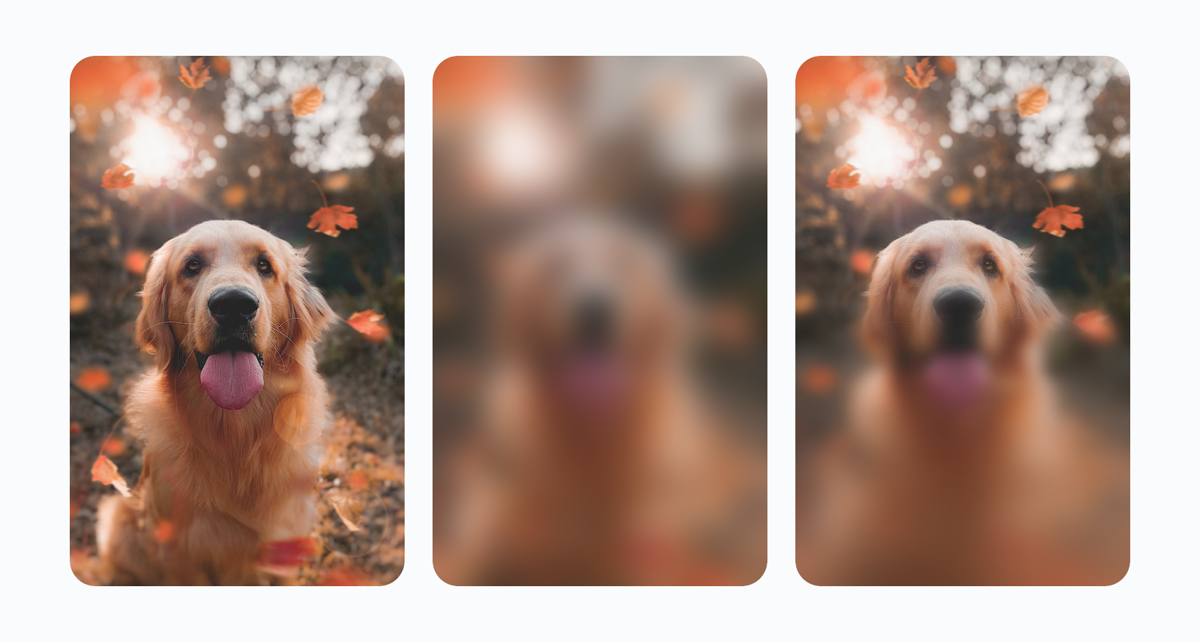
Depending on your design goals, you can vary the blur in two ways:
- Uniform blur: Applies a constant blur radius across the entire
composable, either equally on both axes or with independent horizontal and
vertical radii (
radiusX,radiusY). - Progressive blur: Varies the blur radius spatially across the
composable using
BlurRadiusSpecgradients or a customShader.
Apply a uniform blur
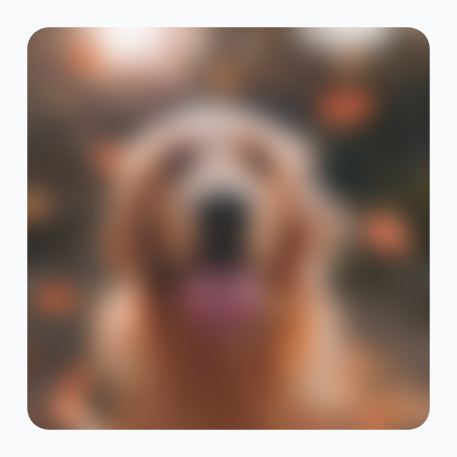
To apply a constant blur across an entire composable, pass a Dp radius to
Modifier.blur. Pass a single radius value to blur content equally along
both the horizontal (X) and vertical (Y) axes:
@Composable fun UniformBlurExample() { Image( painter = painterResource(id = R.drawable.dog), contentDescription = stringResource(id = R.string.dog_content_description), contentScale = ContentScale.Crop, modifier = Modifier .size(150.dp) .blur( radius = 8.dp, edgeTreatment = BlurredEdgeTreatment(RoundedCornerShape(8.dp)), ), ) }
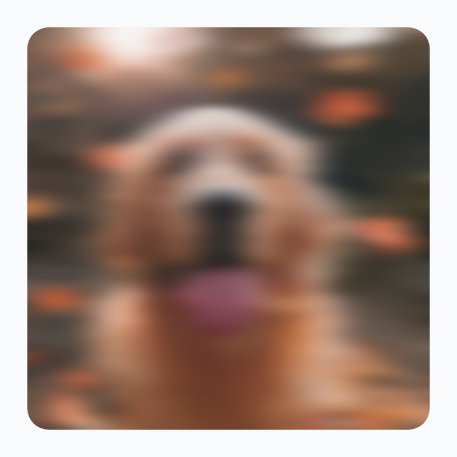
To create a directional motion-blur effect, pass separate radiusX and
radiusY values to Modifier.blur. Both radiusX and radiusY must be
greater than 0.dp for the blur effect to apply, as shown in the following
example:
@Composable fun DirectionalBlurExample() { Image( painter = painterResource(id = R.drawable.dog), contentDescription = stringResource(id = R.string.dog_content_description), contentScale = ContentScale.Crop, modifier = Modifier .size(150.dp) .blur( radiusX = 10.dp, radiusY = 2.dp, edgeTreatment = BlurredEdgeTreatment(RoundedCornerShape(8.dp)), ), ) }
Apply a progressive blur
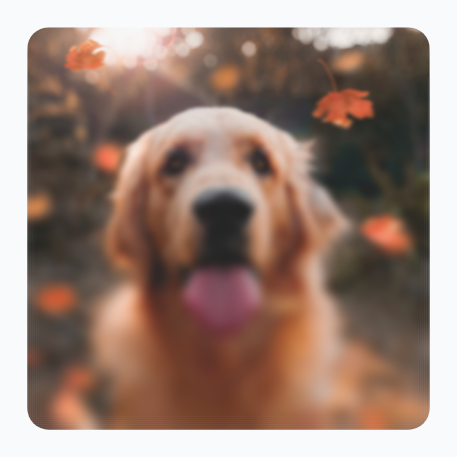
A progressive blur varies the blur radius across a composable, creating a smooth transition between sharp and blurred regions.
Pass a BlurRadiusSpec to Modifier.blur. For example, use
BlurRadiusSpec.verticalGradient with startRadius = 0.dp and
endRadius = 6.dp to keep the top of an image sharp while progressively
blurring it toward the bottom, as shown in the following example:
@Composable fun ProgressiveBlurExample() { Image( painter = painterResource(id = R.drawable.dog), contentDescription = stringResource(id = R.string.dog_content_description), contentScale = ContentScale.Crop, modifier = Modifier .size(150.dp) .blur( // Sharp at the top (0.dp), progressively blurred toward the bottom (6.dp) blurRadiusSpec = BlurRadiusSpec.verticalGradient( startRadius = 0.dp, endRadius = 6.dp, ), edgeTreatment = BlurredEdgeTreatment(RoundedCornerShape(8.dp)), ), ) }
Specify blur gradients with BlurRadiusSpec
In BlurRadiusSpec, measurements are set in Dp and automatically adjust to
the layer's size and display density when drawn. Spatially varying blurs cap at
150 pixels once converted, whereas BlurRadiusSpec.uniform has no cap.
The following table lists the factory functions available on BlurRadiusSpec:
BlurRadiusSpec factory |
Description |
|---|---|
BlurRadiusSpec.verticalGradient |
Smoothly changes the blur radius vertically from top (0f) to bottom (1f) across the layer. |
BlurRadiusSpec.horizontalGradient |
Smoothly changes the blur radius horizontally from the left edge (0f) to the right edge (1f). |
BlurRadiusSpec.linearGradient |
Applies a directional blur transition along a straight line connecting specific DpOffset coordinates. |
BlurRadiusSpec.radialGradient |
Spreads the blur outward from a focal point toward the fallOffRadius boundary. |
BlurRadiusSpec.uniform |
Applies an even blur radius across the entire layer. |
BlurRadiusSpec.shader |
Uses a custom Shader's alpha channel to control and scale the maxRadius at each pixel. |
Customize blur distribution with BlurStop
Standard gradient blurs interpolate linearly between 0f and 1f. To
customize the blur distribution across a surface, such as blurring multiple
edges or keeping a middle section completely sharp, pass a List<BlurStop>
containing 2 to 16 BlurStop entries to verticalGradient,
horizontalGradient, linearGradient, or radialGradient. Define the
following for each BlurStop entry:
fraction: The relative position along the gradient from0.0fto1.0f. Stops are sorted automatically by fraction.radius: The blur radius inDpapplied at that fraction position.
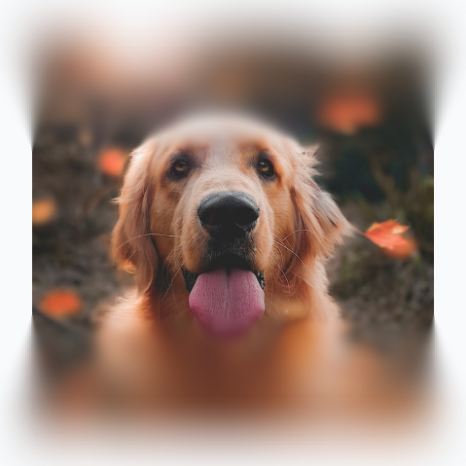
For example, four stops blur the top and bottom edges of an image while keeping the middle completely sharp, as shown in the following example:
@Composable fun MultiStopBlurExample() { Image( painter = painterResource(id = R.drawable.dog), contentDescription = stringResource(id = R.string.dog_content_description), contentScale = ContentScale.Crop, modifier = Modifier .size(150.dp) .blur( // Blurred at the top and bottom edges, sharp in the middle (0.3f..0.7f) blurRadiusSpec = BlurRadiusSpec.verticalGradient( stops = listOf( BlurStop(fraction = 0.0f, radius = 20.dp), BlurStop(fraction = 0.3f, radius = 0.dp), BlurStop(fraction = 0.7f, radius = 0.dp), BlurStop(fraction = 1.0f, radius = 20.dp), ), ), edgeTreatment = BlurredEdgeTreatment.Unbounded, ), ) }
Configure layer properties with BlurScope
Instead of passing blurRadiusSpec directly, you can pass a configuration
block to Modifier.blur { ... }. This block runs inside BlurScope,
which gives you direct access to layout density and the following properties:
size: DpSize: The measured width and height of the blurred layer inDp, which defines the coordinate space for gradient geometry.blurRadiusSpec: BlurRadiusSpec: The blur radius configuration across the surface. Defaults toBlurRadiusSpec.uniform(0.dp)(no blur).edgeTreatment: BlurredEdgeTreatment: Strategy used to sample and clip pixels outside content bounds. Defaults toBlurredEdgeTreatment.Rectangle.alpha: Float: Opacity of the blurred layer in the0f..1frange. Defaults to1f.
Because the BlurScope block runs during the graphics layer phase, after
measurement and layout, you can compute gradient geometry from size without
triggering recomposition.
Control edge clipping with BlurredEdgeTreatment
Because blurring samples neighboring pixels within the blur radius, the blurred
output extends beyond the original content bounds by the blur radius.
BlurredEdgeTreatment determines how pixels outside the original bounds
are sampled and whether the result is clipped to a shape.
BlurredEdgeTreatment works with both uniform and progressive blurs:
BlurredEdgeTreatment |
Behavior | Output |
|---|---|---|
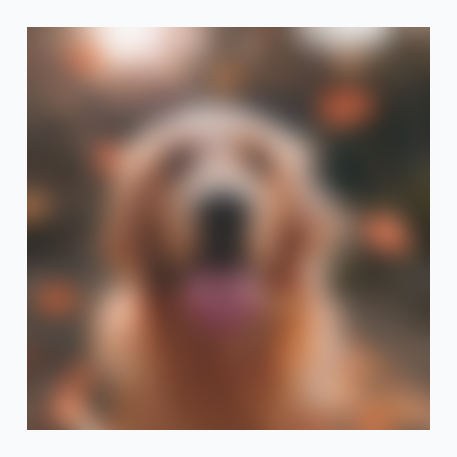
BlurredEdgeTreatment.Rectangle (default) |
Clips the blur result to the rectangular bounds of the original content and samples the closest edge pixels (TileMode.Clamp). |
|
BlurredEdgeTreatment(shape) |
Clips the blur result to the specified Shape (such as RoundedCornerShape(8.dp)) and samples the closest edge pixels (TileMode.Clamp). Keeps the blurred result sharp at the shape boundary without bleeding outside the original bounds. |
|
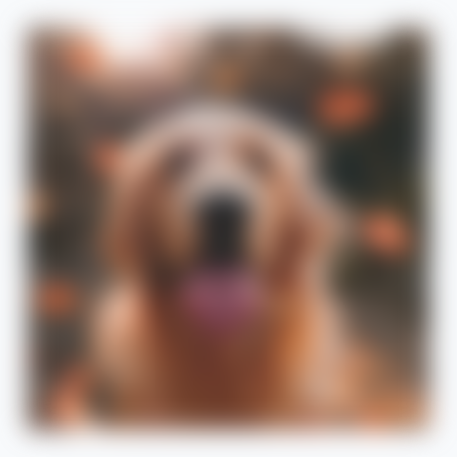
BlurredEdgeTreatment.Unbounded |
Doesn't clip the blur result (TileMode.Decal). Pixels outside the content bounds sample transparent black, making the outer edges of the image appear fuzzy and blurred beyond the original bounds. |
|
To see how these APIs combine in complete UI patterns, such as fading the edges of scrolling content, spotlighting a focal point, or masking a blur with a custom shader, see Common blur use cases.