
You can optimize the performance of your app or game by making sure that your threads are appropriately utilized and scheduled. This guide demonstrates how you can use the System Profiler in Android Performance Analyzer to find potential performance improvements.
Visualize thread parallelization
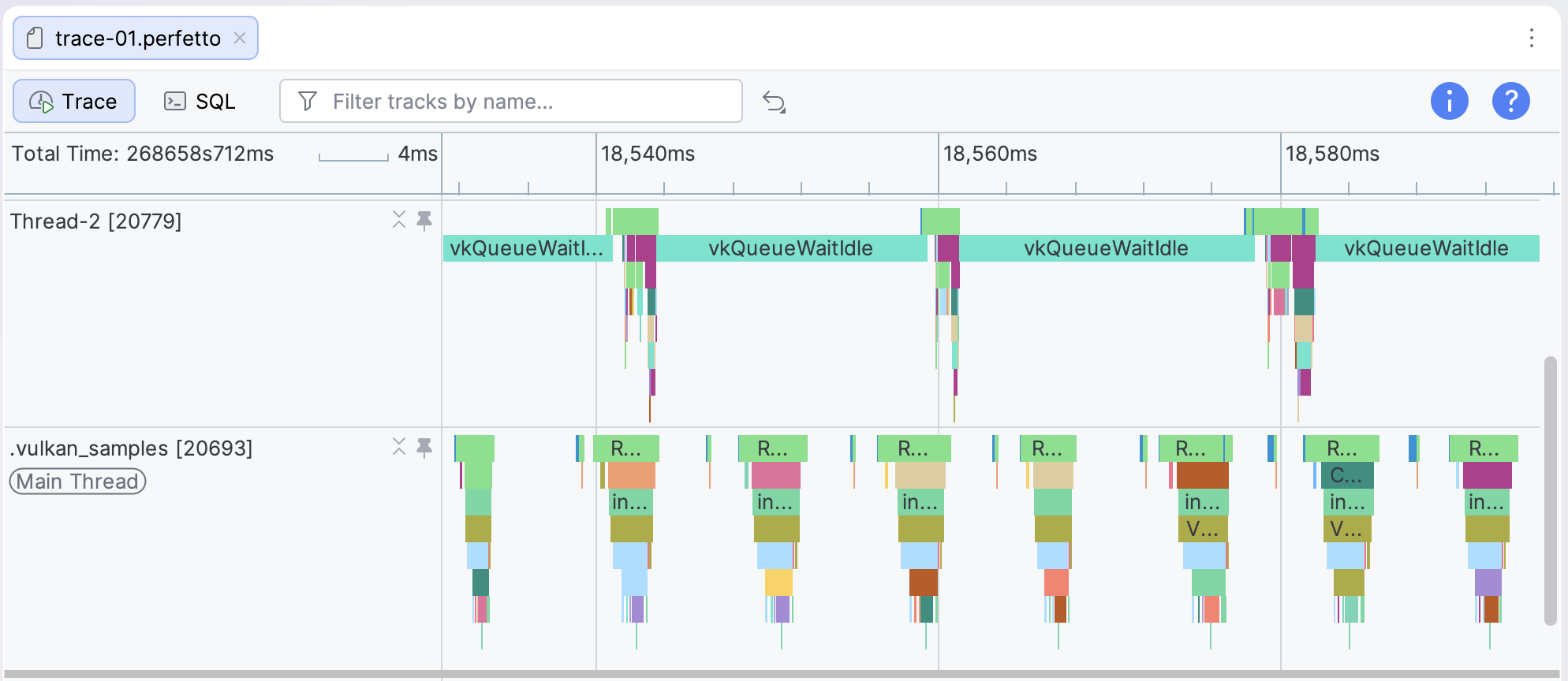
Many apps, games, and game engines use multithreading to divide CPU work into logical tasks, which may be run somewhat independently. For example, for games one typical configuration is a game thread for input and game logic, a render thread for preparing and submitting objects to be drawn, and worker threads for other subtasks such as animations or audio.
We recommend parallelizing threads to take advantage of performance gains from multithreading. In the example scenario, the game and render threads run partially or fully concurrently on different cores. This isn't always possible due to factors like shared data dependencies; however, when it's possible it can result in lower CPU times and therefore potentially higher frame rates.
Investigate CPU core affinity
One factor that significantly affects the performance of your CPU workloads is how they're scheduled on the device's cores. There are two considerations to keep in mind:
- Whether your threads are running on the most suitable core for their workload.
- Whether your threads switch between cores frequently.
Modern devices often use an architecture called hetereogeneous computing, where the cores have different levels of performance.
- One or a few cores offer high peak performance, but consume more power. These are sometimes called big cores.
- Other cores have lower peak performance, but are more power-efficient. These are sometimes called little cores.
- Optionally, or or more cores might offer a balance between performance and power. These are sometimes called mid cores.
If you enabled the CPU option when configuring your trace, you can view the individual processes running on your device's CPU cores under the CPU Utilization section in the trace view.
You might see that certain threads are being scheduled on CPUs that don't meet their needs for performance or power.
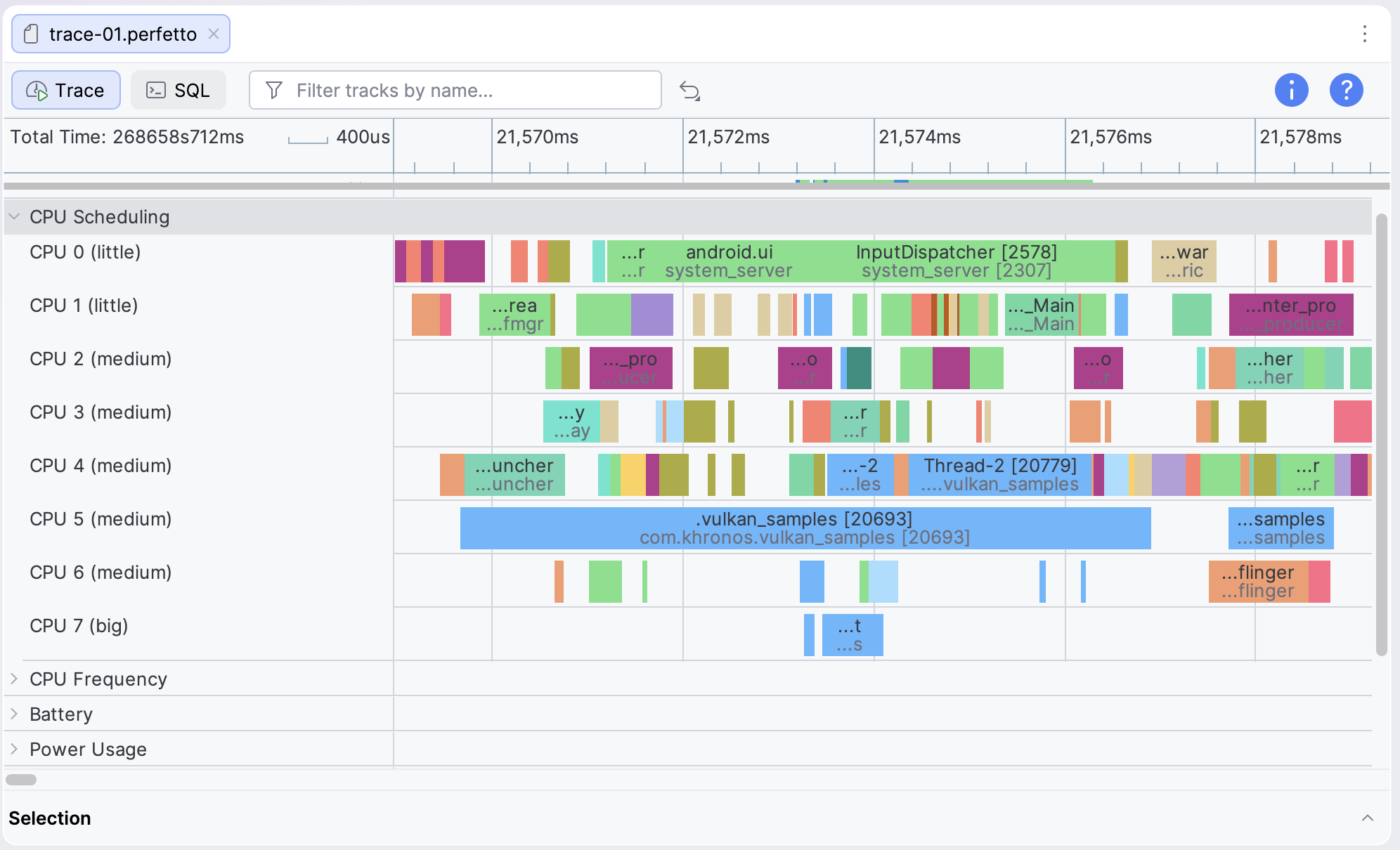
Alternatively, you might observe threads switching between cores. Core switches incur overhead from the context switch, cache line invalidation, and TLB flushes.
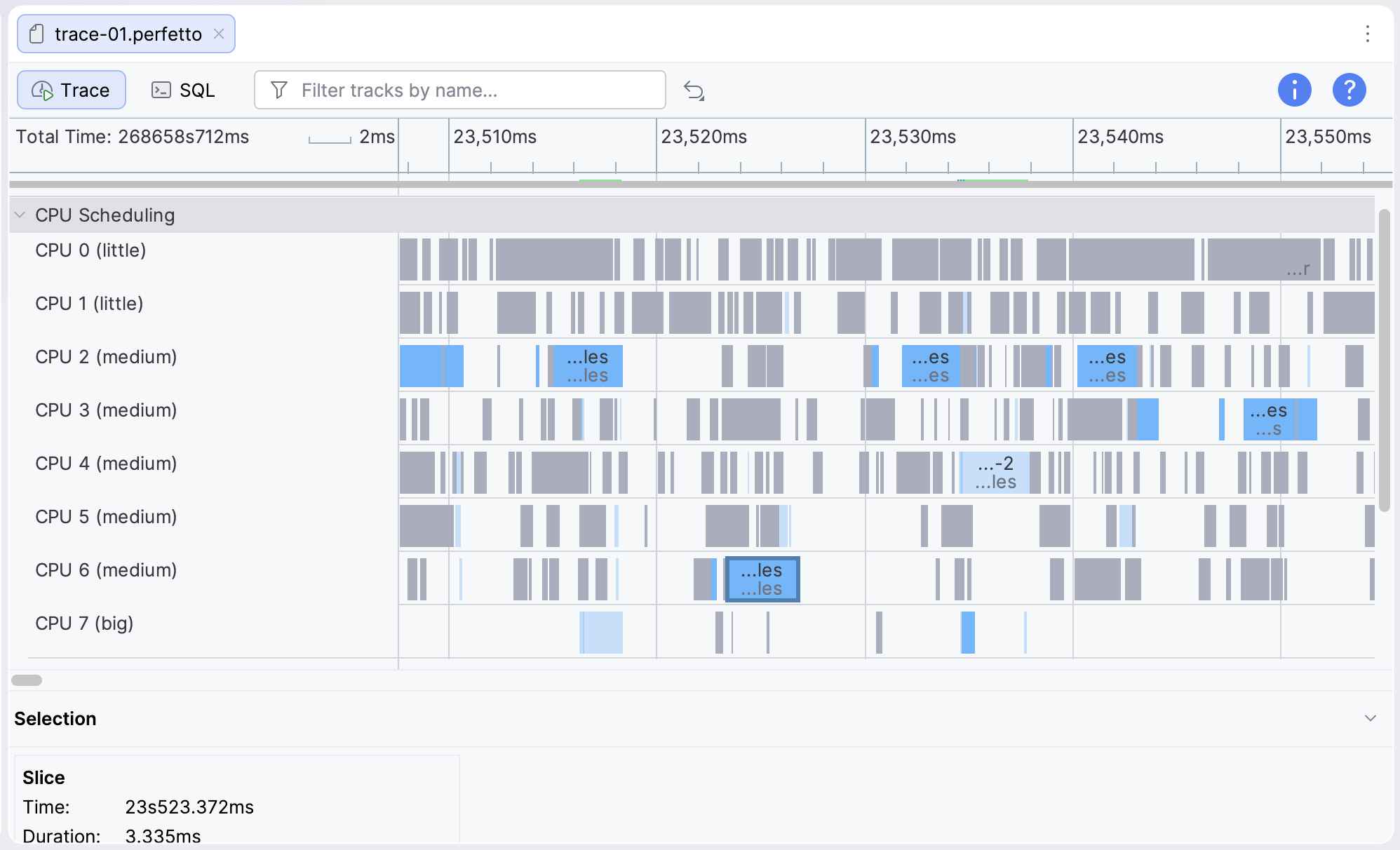
In either case, rather than setting CPU core affinity manually, use the Performance Hint API from Android Dynamic Performance Framework (ADPF) to send performance hints to Android for CPU clock speed and core type.
Most popular game engines come with built-in ADPF integration which you can use to control your CPU clock speed and core type.